In this guide, we would like to show you how to install Nuance Power PDF Advanced 2.1 in just a few steps. After purchasing from our online shop, you will receive a license key and a download link; please use the link to download the software.
Step 1: Go to your download folder and double-click the .exe file of the software to start the installation.
Step 2: Please select the installation directory.
Step 3: The next step is to select the installation language.
Step 4: This will start the installation of Nuance Power PDF Advanced 2.1
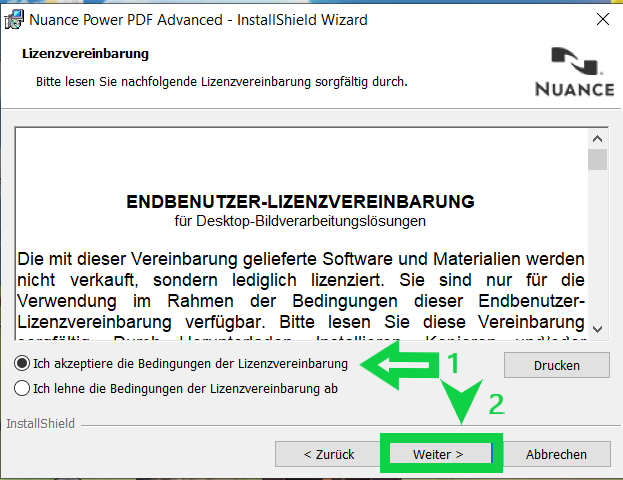
Step 5: Please accept the terms and click "Next".
Step 6: Please enter your username, the name of your organization (if you purchased the software for a company), and the license key you received from us. Then please click "Next".
#
After following these steps, the installation will be executed and completed. You can now start and use the software.