Installation Guide
This installation guide applies to the following versions:
✔ Nuance Power PDF Advanced 1.2 DOWNLOAD
Important Notes:
If you encounter any issues during installation or product activation, feel free to send us an email.
Having trouble with the download link? Then click here: Download Link Instructions
Step 1:
- Download the purchased software. You can find the download link in the order confirmation email. Then run the downloaded application.
Having trouble with the download link? Then click here: Download Link Instructions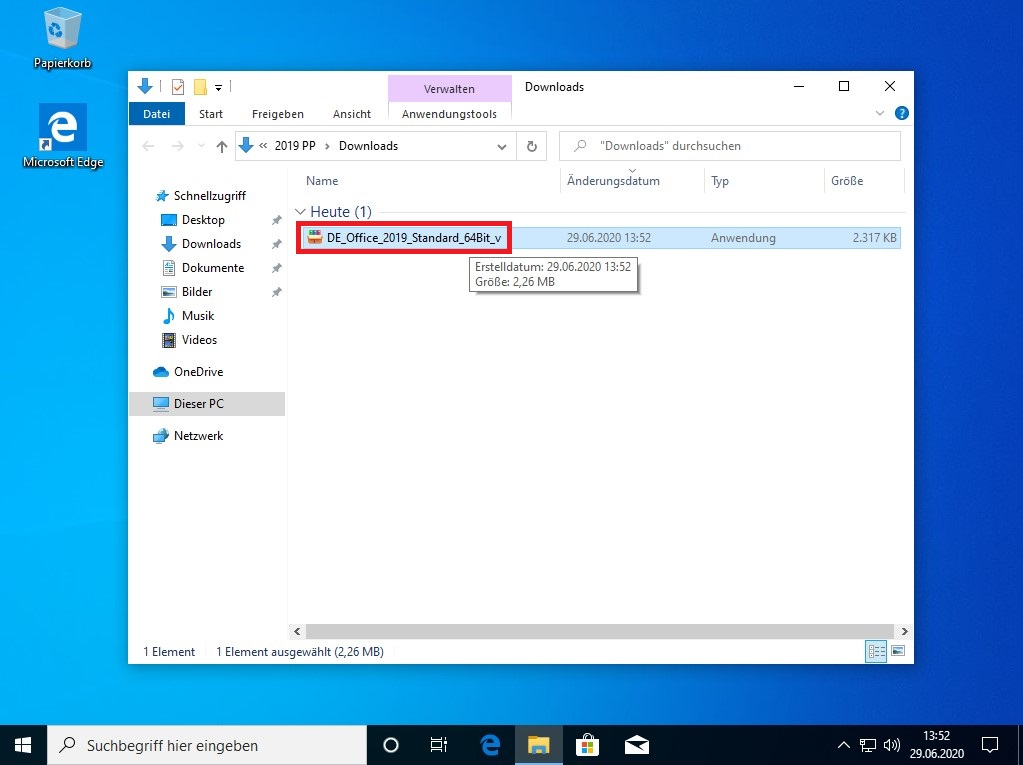
Step 2:
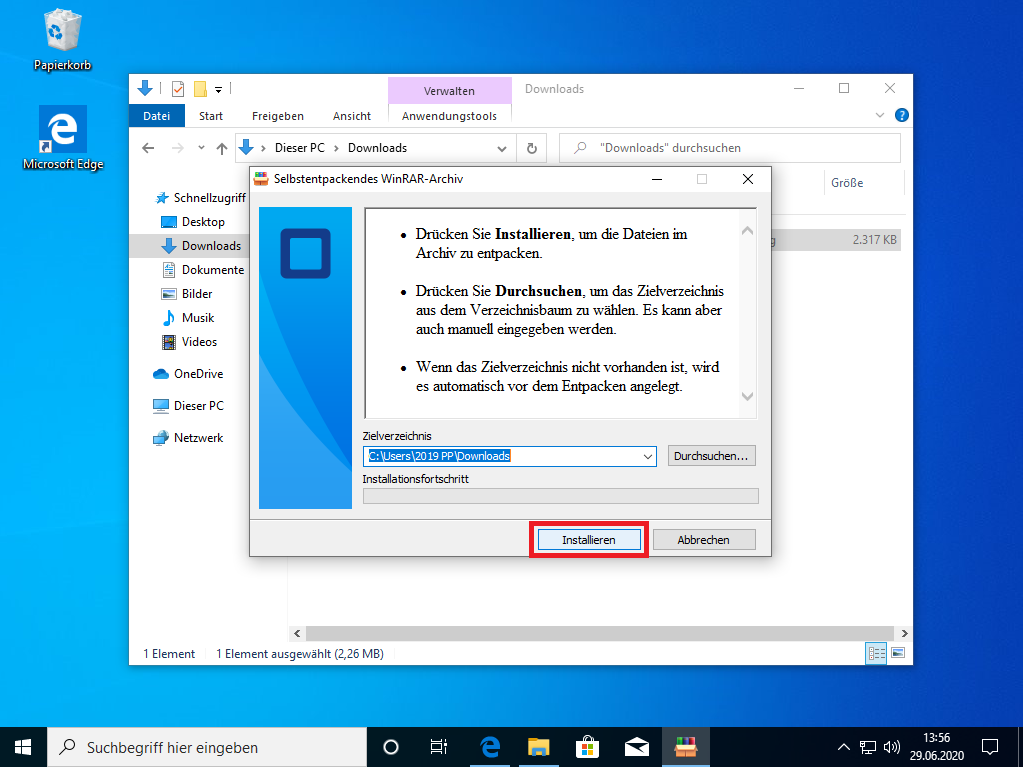
- Click on “Install”.
Step 3:
- Select the desired language.

Step 4:
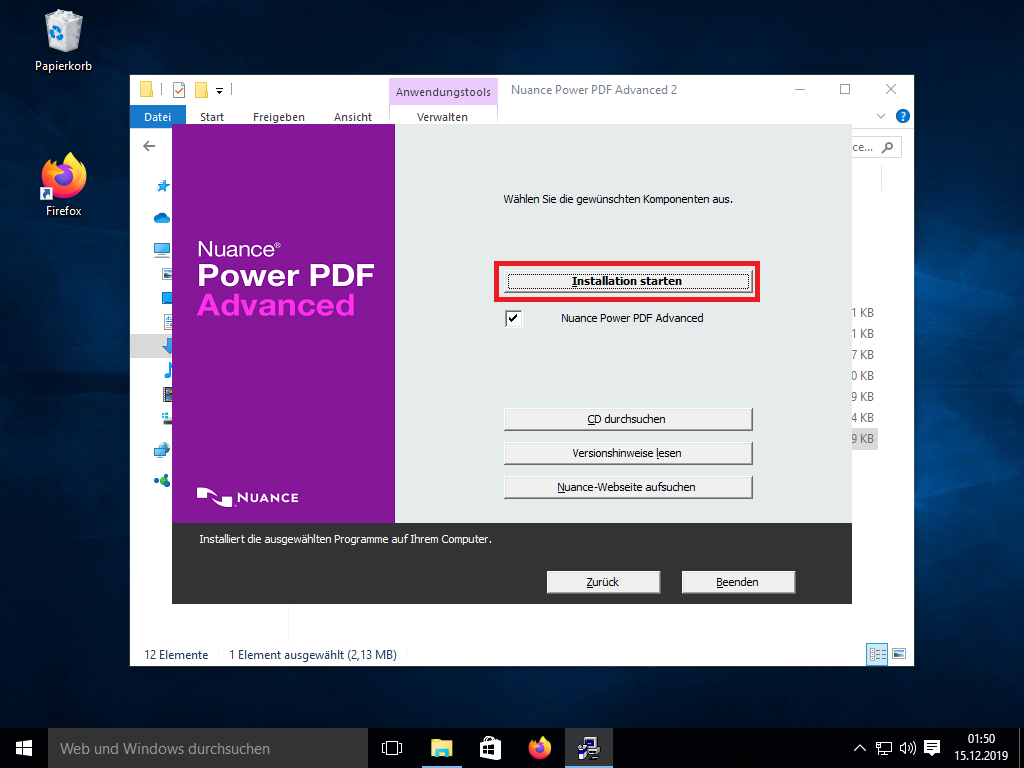
- Click on "Start Installation"
Step 5:
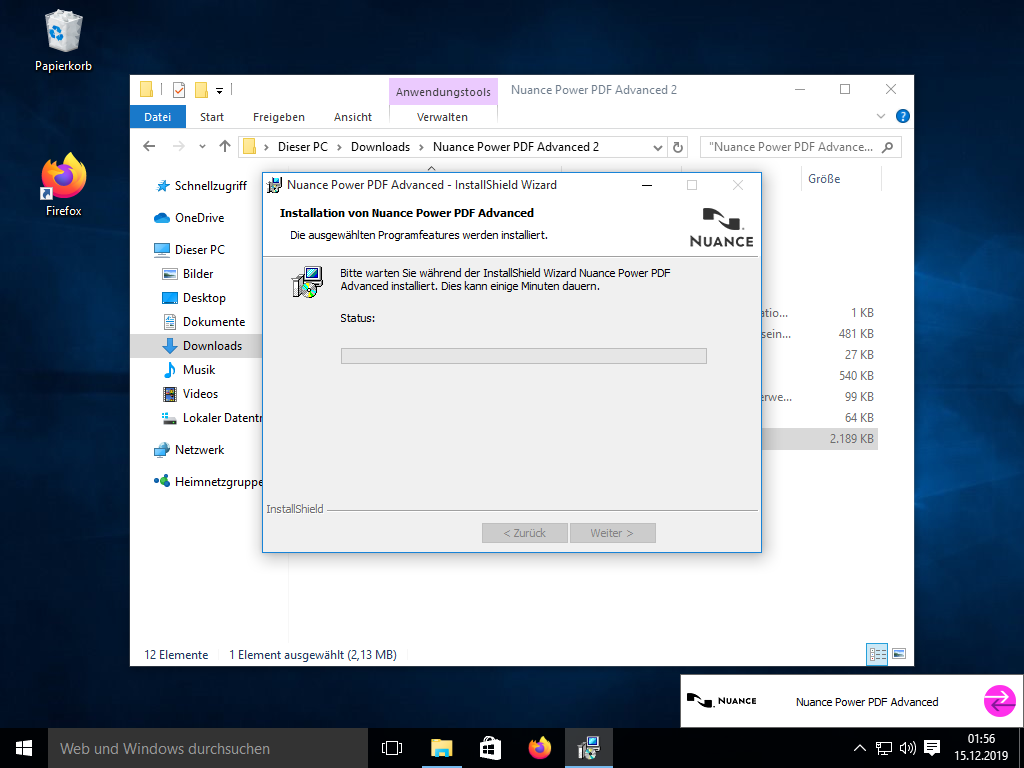
- Click on "Next" in all subsequent windows until the installation window appears. Please wait until the installation is complete.
Step 6:
- After installation, open under Start > Power PDF Advanced.

Step 7:
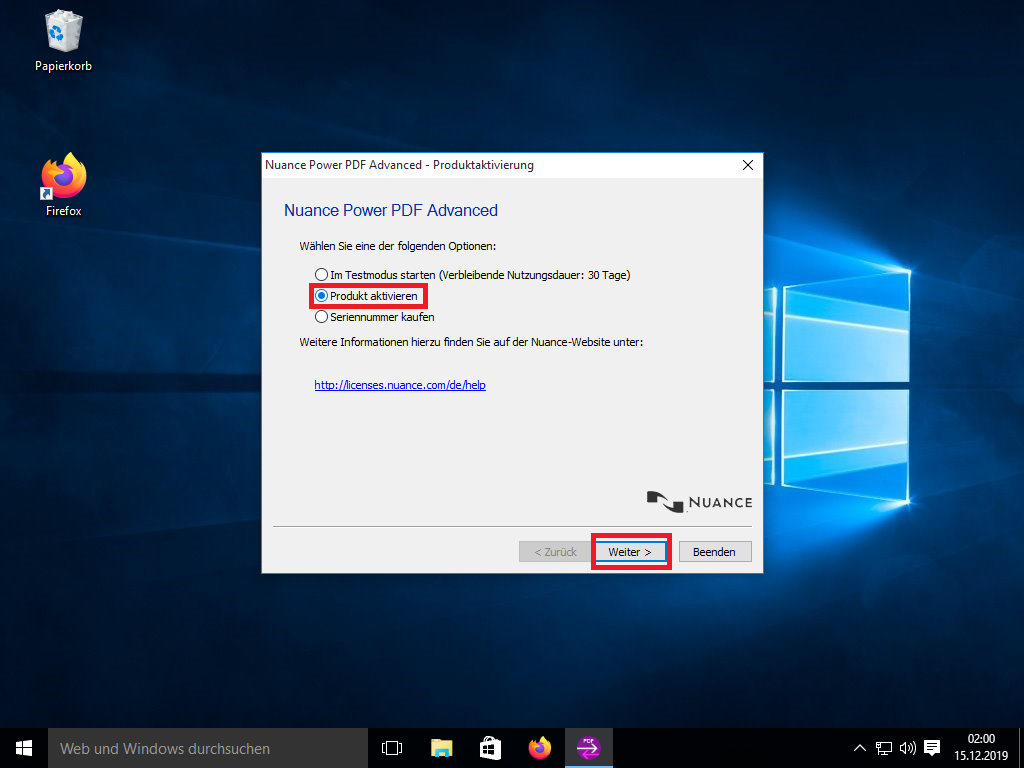
- Select “Activate Product” and click on "Next"
Step 8:
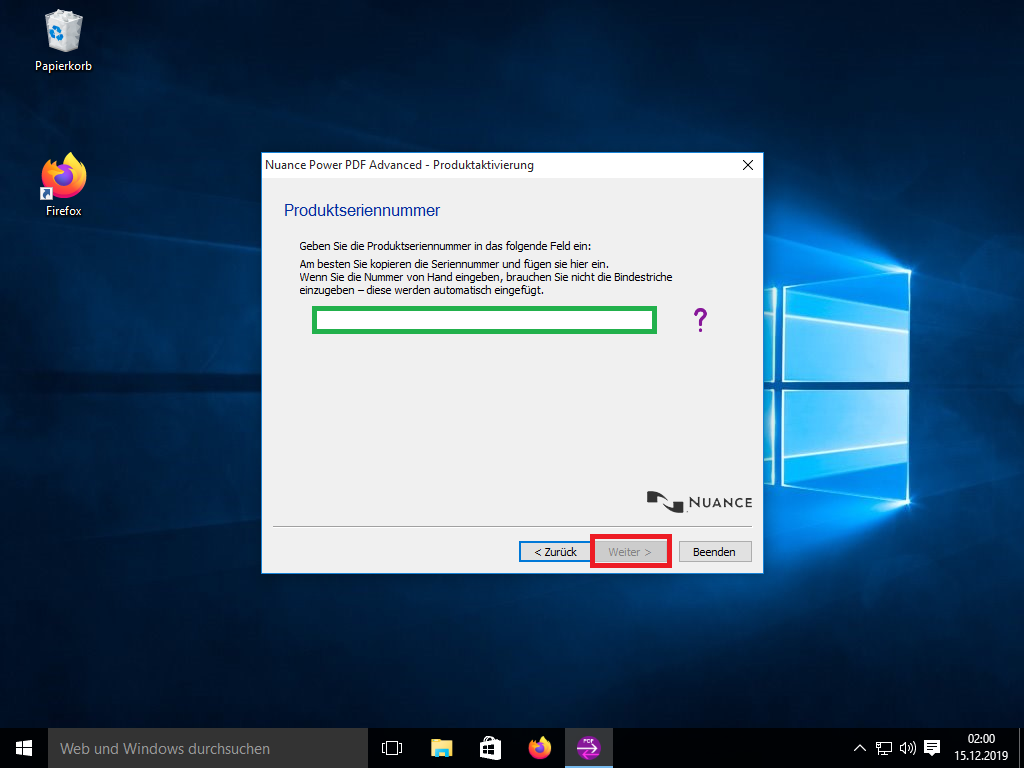
- Then enter your product key in the empty field and click on "Next".
Step 9:
- Your product has just been successfully activated.
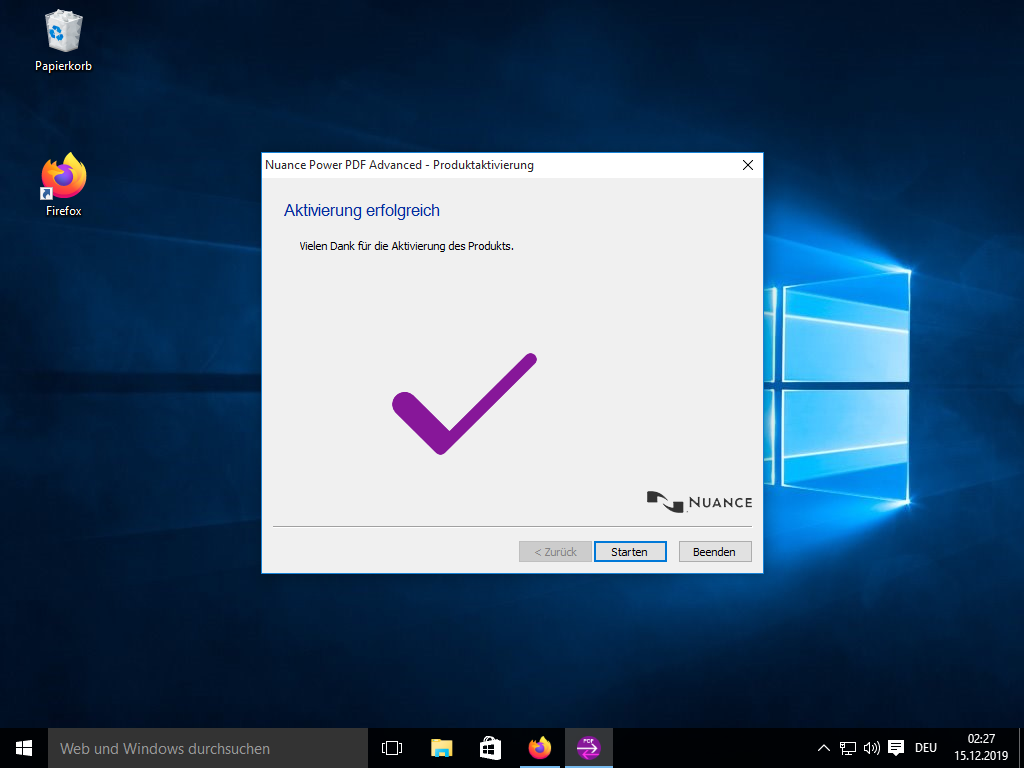
Perfect! Your product has been successfully activated.