To activate your copy of Nitro PDF Pro, please follow these steps:
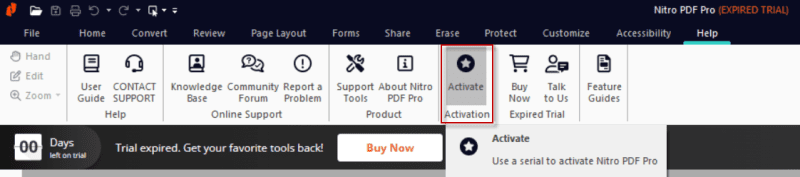
1. Open Activation
Navigate to the “Help” → “Activate” tab to enter your serial number.
2. Serial Number Formats
There are two different serial number formats for activating Nitro PDF Pro:
- A 18-digit serial number
- A license file (.lic) with over 400 alphanumeric characters
Activation with 18-digit serial number
If you have an 18-digit serial number, enter it in the Nitro PDF Pro Activation Wizard window.
Then confirm the terms of use and the privacy policy via checkbox and click “Activate”.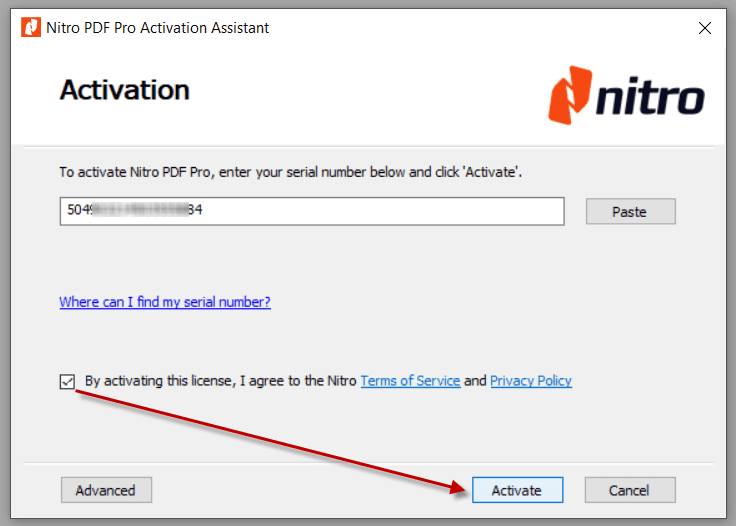
Activation with License File (.lic)
If you have a license file, you need the Enterprise version of Nitro PDF Pro, which supports this format.
In the “License Information” window, please select “Load from File” to import the license file.
After entering your name and loading the license file, confirm the terms of use and then click “OK”.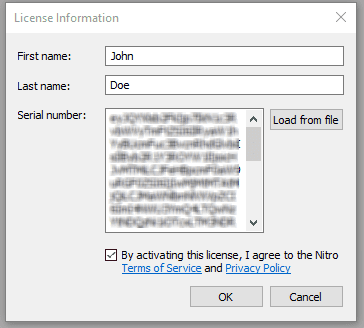
3. Completing the Activation
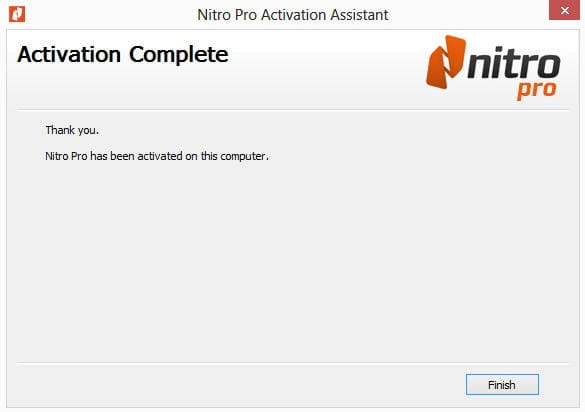
Upon successful activation, a confirmation window will appear, confirming the successful completion.
The activation for an 18-digit serial number will be displayed accordingly.